
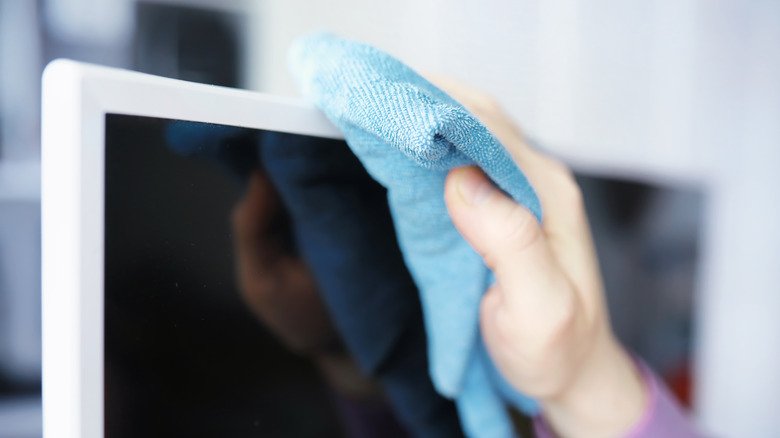
If you’ve got a scratch on your LED TV screen, it can be annoying. That little mark might catch your eye every time you watch a show or play a game. The good news? You don’t always need to replace the TV. There are ways to fix it yourself or get professional help. In this post, we’ll show you how to repair a scratched LED TV screen with easy methods, share tips to prevent scratches, and explain when it’s time to call an expert. Let’s get started!
Why Do LED TV Screens Get Scratched?
Before we talk about how to repair a scratched LED TV screen, let’s look at why scratches happen. Knowing this can help you avoid them later.
-
Dust or Dirt: Tiny bits of dust or grit can scratch the screen when you wipe it, especially with a rough cloth.
-
Accidents: Bumping the screen with something hard, like a remote or a toy, can leave a mark.
-
Wrong Cleaning Tools: Using paper towels, tissues, or harsh sprays can damage the surface.
-
Kids or Pets: Little hands, toys, or pet claws can accidentally scratch the screen.
Scratches are common, but they don’t have to ruin your TV. Now, let’s see how to keep them from happening in the first place.
How to Stop Scratches Before They Start
Preventing scratches is easier than fixing them. Here are some simple ways to protect your LED TV screen:
-
Use a Soft Cloth: Always clean with a microfiber cloth. It’s gentle and won’t scratch.
-
Skip Harsh Cleaners: Use water or a mix of water and a tiny bit of vinegar. Avoid sprays with alcohol or ammonia.
-
Keep Things Away: Don’t let remotes, toys, or sharp objects sit near the screen.
-
Add a Screen Protector: You can buy protectors made for LED TVs. They act like a shield.
These steps can save you from needing to repair a scratched LED TV screen later. But if you’ve already got a scratch, don’t worry—we’ve got solutions.
How to Repair a Scratched LED TV Screen at Home
You can fix small scratches yourself with things you might already have. These DIY methods work best for light scratches—not deep cuts. Let’s go through them one by one.
Method 1: Pencil Eraser Fix
A plain pencil eraser can smooth out tiny scratches. Here’s how to repair a scratched LED TV screen with it:
-
Step 1: Turn off the TV and let it cool down.
-
Step 2: Grab a clean, soft eraser (the white kind works best).
-
Step 3: Rub the scratch gently in one direction. Don’t press too hard.
-
Step 4: Wipe the spot with a microfiber cloth to clear away eraser bits.
-
Step 5: Check the scratch. Repeat if it’s still there, but don’t overdo it.
This trick is great for faint scratches. It smooths the surface without hurting the screen.
Pros and Cons
-
Pros: Cheap, easy, uses stuff you have.
-
Cons: Only works for light scratches; takes patience.
Method 2: Toothpaste Trick
Toothpaste can buff out small scratches. Here’s how to repair a scratched LED TV screen with it:
-
Step 1: Turn off the TV and wait until it’s cool.
-
Step 2: Put a dab of non-gel toothpaste on a soft cloth.
-
Step 3: Rub the scratch in small circles with light pressure.
-
Step 4: Wipe it off with a damp microfiber cloth.
-
Step 5: Dry the area with another clean cloth.
The toothpaste acts like a gentle scrub to even out the scratch.
Pros and Cons
-
Pros: Simple, affordable, good for minor marks.
-
Cons: Can leave residue if not cleaned well; not for deep scratches.
Method 3: Petroleum Jelly Fix
Petroleum jelly can hide very fine scratches. Here’s how to repair a scratched LED TV screen with it:
-
Step 1: Clean the screen with a dry microfiber cloth.
-
Step 2: Put a tiny bit of petroleum jelly on the scratch.
-
Step 3: Rub it in gently with a soft cloth.
-
Step 4: Wipe off extra jelly, leaving just a thin layer.
This doesn’t remove the scratch—it fills it so it’s less noticeable.
Pros and Cons
-
Pros: Quick, makes scratches less obvious.
-
Cons: Temporary fix; doesn’t work on bigger scratches.
Method 4: Scratch Repair Kit
You can buy kits made for fixing LED screens. They come with a polish and a cloth. Here’s how to repair a scratched LED TV screen with one:
-
Step 1: Read the kit’s instructions carefully.
-
Step 2: Turn off the TV and clean the screen.
-
Step 3: Apply the polish as directed, usually with a soft cloth.
-
Step 4: Buff the scratch gently, then wipe it clean.
These kits are stronger than home fixes but still easy to use.
Pros and Cons
-
Pros: Designed for screens, works on tougher scratches.
-
Cons: Costs more; results depend on the kit quality.
You may also like: how to repair LED TV panel
Tools and Materials You’ll Need for DIY Repairs
For these methods, you don’t need much. Here’s a quick list:
-
Microfiber cloth: For cleaning and wiping.
-
Pencil eraser: White, soft ones are best.
-
Non-gel toothpaste: Avoid gel or whitening kinds.
-
Petroleum jelly: A small jar works fine.
-
Scratch repair kit: Optional, from electronics stores.
-
Water: For dampening cloths.
Keep these handy, and you’re ready to repair a scratched LED TV screen yourself.
When to Call a Professional
DIY fixes are great for small scratches, but some need expert help. Here’s when to stop trying and call someone:
-
Deep Scratches: If you can feel the scratch with your finger, it’s too deep for home fixes.
-
Big Scratches: Large marks across the screen need pro tools.
-
Picture Problems: If the scratch messes up the display, it’s beyond DIY.
-
No Improvement: If your tries don’t help, a professional can step in.
Must Visit: ledtvrepair.pk
Finding a Good Repair Service
-
Check Reviews: Look online for local repair shops with good feedback.
-
Ask Questions: Call and ask if they fix LED TV screens and what it costs.
-
Compare Prices: Get quotes from a few places to find a fair deal.
Professionals can often repair a scratched LED TV screen better than home methods—or tell you if it’s time for a new screen.
How to Clean Your LED TV Screen the Right Way
Cleaning wrong can cause scratches, so let’s cover how to do it safely:
-
Turn Off the TV: This keeps it safe and lets you see dirt better.
-
Wipe with a Dry Cloth: Use a microfiber cloth to get rid of dust.
-
Dampen if Needed: For smudges, wet the cloth slightly with water or a water-vinegar mix.
-
Be Gentle: Don’t press hard—just wipe softly in circles.
-
Dry It: Use a dry cloth to finish and avoid streaks.
Do this once a month, and you’ll keep your screen clean without scratching it.
How to Protect Your LED TV Screen from More Scratches
After you repair a scratched LED TV screen, you’ll want to keep it safe. Here’s how:
-
Get a Screen Protector: These stick on and take the hit instead of your screen.
-
Clear the Space: Keep sharp or hard things away from the TV.
-
Clean Often: Dust can scratch, so wipe it off regularly.
-
Teach the Family: Tell kids and pet owners to be careful near the TV.
These habits can make your screen last longer without new scratches.
Final Thoughts on How to Repair a Scratched LED TV Screen
A scratch on your LED TV screen doesn’t mean it’s ruined. With a few simple tricks—like an eraser, toothpaste, or petroleum jelly—you can repair a scratched LED TV screen at home. For bigger problems, pros are there to help. The key is acting carefully and keeping up with prevention. Clean it right, protect it well, and your TV can stay clear and bright for years.
Got a scratch? Try one of these methods and see what works. Your favorite shows deserve a screen that looks good!